breaking the dashcam cloud
Capturing a dashcam's live RTSP stream locally using ffmpeg, without relying on cloud storage.
Published 20th Dec, 2025
Hardware hacking is something I’m mildly interested in, but I’m not an expert. It’s fun to learn, but it requires dedicated time to understand each and every component, along with a strong electronics background. I have neither, so that makes it a no-brainer for me.
I received a Qubo 2K dashcam as a gift. This was new to me, as I don’t own any dashcams or similar devices. While going through the setup, I noticed that it requires an SD card to store live-stream captures and also a cloud subscription if I wanted to store previous recordings. That felt like too much to ask for an IoT device like this.
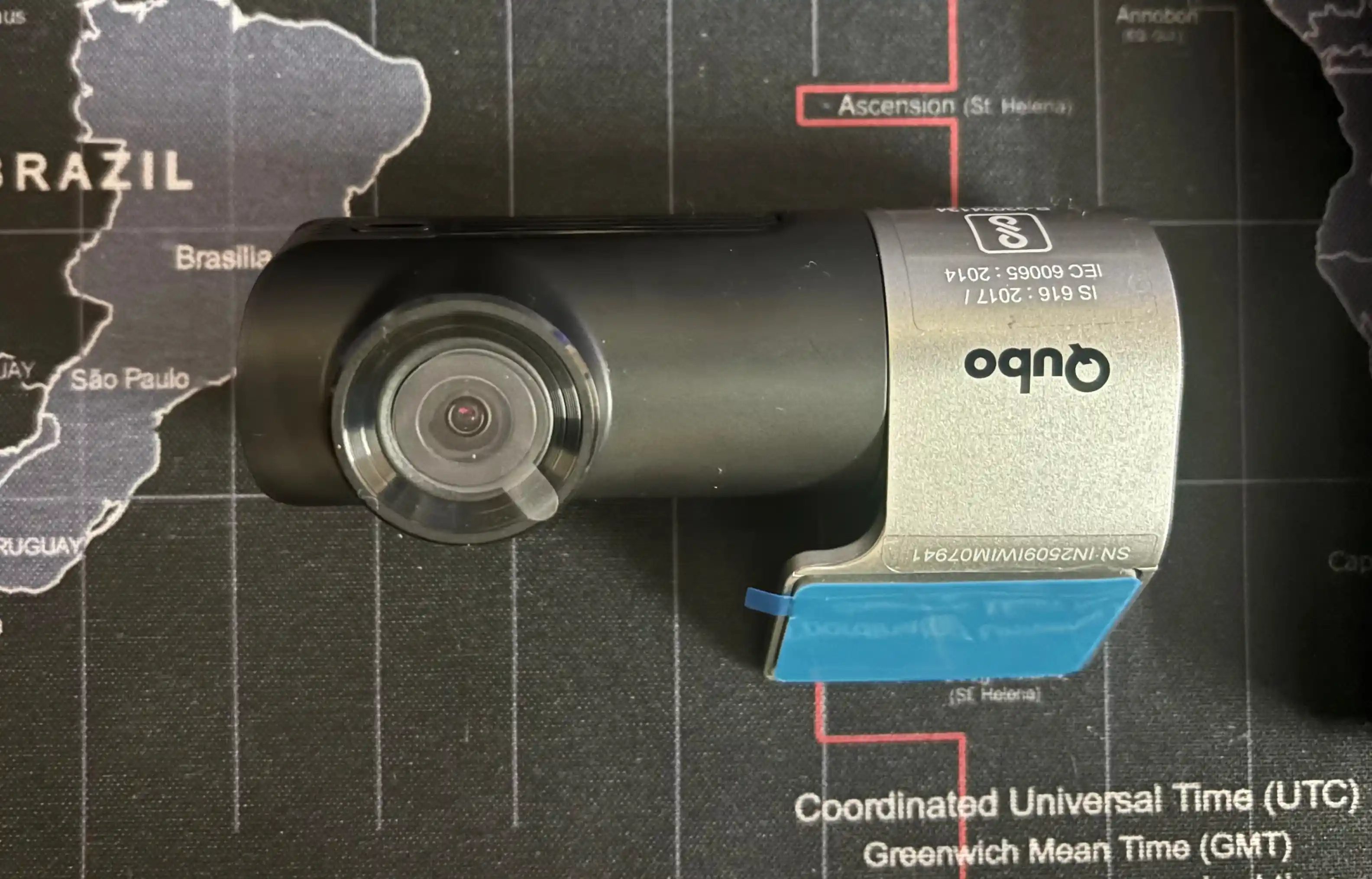
Qubo Pro 2K dashcam, ignore the dusty desk mat.
How does it function?
I didn’t want to open this up to take a look at the components. Instead, I had a rough internal stack in mind. The dashcam essentially behaves like a small IoT device running embedded Linux. A camera sensor captures raw image data, which is processed on the device and passed to a hardware video encoder. For live viewing, the encoded video is served by a local media service on the dashcam and made available to clients using RTSP.
However, I had to be sure whether my understanding was accurate or not, because there’s a possibility that the vendor’s implementation might be completely different.
Tapping into the device
For clients to be able to view the live stream, they need to be connected to the device directly. This is made possible through the Wi-Fi network that the dashcam emits. Now, if you have a fair understanding of how Wi-Fi networks work and the different attack vectors you can use, you can do some of the same magic that I did.
To intercept the calls and retrieve the endpoints, I set up a MITM proxy on my Linux box.
- Connect my Android device to the dashcam through the app on its own Wi-Fi network.
- Connect my Linux box to the same Wi-Fi network with a MITM proxy running.
- Instruct my Android device to use the MITM proxy, then go back to the app to view the live stream.
There it was, all the requests being captured. Just what I wanted, and I was so close to breaking free from the “storage” nightmare.
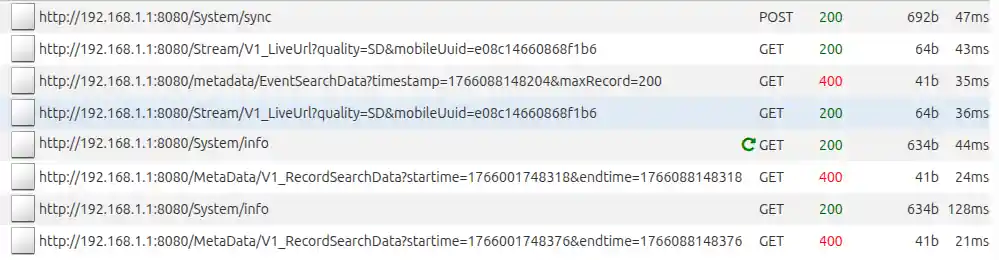
All of the requests being made from the APP to the dashcam.
I also ran a quick Nmap scan on the dashcam’s gateway IP and was able to determine that a local HTTP proxy service was exposed, serving different routes. While most of the HTTP requests returned information about my Android device, one specific endpoint stood out.
http://192.168.1.1:8080/Stream/V1_LiveUrl?quality=SD&mobileUuid=xxxxxxxxxThis endpoint returns the final URL that clients can use to view the live stream over RTSP. The RTSP URL is returned in a format similar to the one below, along with a bunch of headers.
rtsp://192.168.1.1:8080/play.264?token={timestamp}How do I use the RTSP?
That’s where FFmpeg comes into the picture, an open-source multimedia utility for working with video and audio. In a nutshell, it can capture, decode, encode, and convert media across a large number of formats and protocols. I had to go through the documentation for a while to understand its features and whether it supported standards like RTSP out of the box.
Jackpot, it does, without any additional libraries. Now, I had to figure out a way to save this directly on my Android device first, to verify whether the capture was accurate enough without any bad pixels. But how do you execute commands on Android?
Termux, an emulator that mimics a Linux environment, with the ability to install additional packages and execute scripts. That was it, I was almost at the end of the entire experiment. With the Android device still connected to the dashcam’s Wi-Fi network, I spun up Termux, installed FFmpeg, and executed the command.
TIMESTAMP="$(date +%s%3N)"
ffmpeg -i "rtsp://192.168.1.1:8080/play.264?token=$TIMESTAMP" -c copy -f mp4 "stream.mp4"
Boom! I was able to see codec and frame logs directly in Termux, which meant the stream was valid. I killed the command and reviewed the captured stream, it was picture-perfect, exactly as I expected.
The finale
With all the required endpoints and utilities in hand, I just had to write a Bash script that would:
- Retrieve the RTSP stream URL from the initial endpoint.
- Continuously write the stream to a file on the device using FFmpeg.
The FFmpeg utility would automatically exit if there was no active stream. Every time my Android device connected to my LAN, FolderSync would copy the file over to my homelab in a designated directory, eliminating the need to worry about storage!
Was it fun?
Well, that was it. I took some time to understand the internals and basic building blocks of how a dashcam actually works. If you’re someone who’s familiar with internals, you could potentially flash newer firmware with customized configurations, completely erasing the device as if it never existed in the vendor’s inventory.
Until then, I’ll see you in the next one!
Comments
You can write to me at [email protected]. Email services are insecure, consider encrypting emails with my PGP Key if you're sending me something sensitive.
Loading comments