my experience with microcontrollers
A beginner’s journey experimenting with the ESP32-S3.
Published 6th Dec, 2025
If you’ve had a chance to explore my now page, you’d see that I’m currently experimenting with an ESP32-S3. I did like electronics but only to an extent of soldering wires and not playing around with breadboards really. Being a human, we do have this urge to learn absolutely everything, so do I and that’s where my interest towards microcontrollers began.
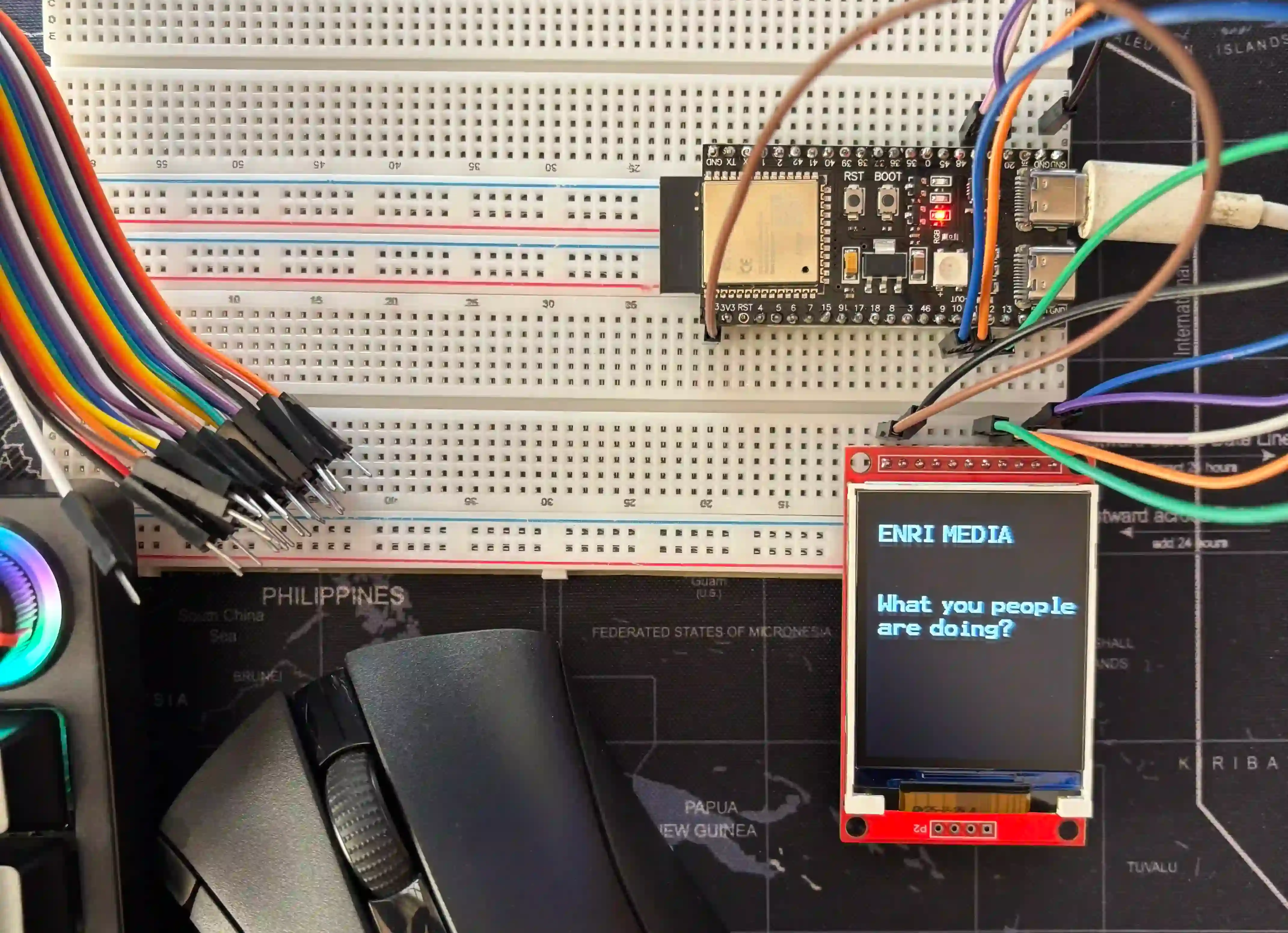
My first "hello world" varient on a TFT display.
Why ESP32-S3?
There’s no shortage of microcontroller boards out there. ESP8266, ESP32, Arduino…but this one stood out for a bunch of reasons and was suggested by a buddy of mine too (who’s currently part of my experiment with the board).
- Built-in WiFi and Bluetooth - no extra modules needed at all.
- Great ecosystem - Supports Arduino, ESP-IDF.
- Supports AI workloads - to an extent of course.
- A little cheap - as compared to other boards.
The workspace
I have dedicated workspaces for both my personal and work computer, the only viable option was to use my personal space and turn it into a tiny electronics lab overnight without having to think twice. Even though I setup the workspace, the real challenge was to learn how these stuffs work.
Breadboard still haunts me today, I almost took a day to understand the connection schematics and how current actually flows between 2 different boards. It did take a while to get familiar with the board itself where-as other components like the TFT display were still not in picture.
Arduino IDE happened to be the easiest entry point for me, but there was little to no activity on the board like it was never there in the first place. The fix? Missing ESP32-S3 drivers! Once that was sorted, Arduino IDE was able to recognize the board but I see permission denied errors in bright red all over the place when I attempted to flash a simple C code on the board.
Fixing the board
So when you connect ESP32-S3 in general to a Linux box it normally creates a UART interface under the /dev/tty* namespace, but the exact name depends on the chipset that’s used on the board. In my case it was /dev/ttyACM0 and this took a while for me to figure out because I was not quite too sure.
ls -la /dev/ttyACM0
crw-rw---- 1 root dialout 166, 0 /dev/ttyACM0
This was an easy fix for someone who’s familiar with Linux. By default te UART interface(s) is owned by the “root” user and part of the “dailout” group, but the Arduino IDE was run as a non-root user which explained as to why I was unable to flash anything.
In simple terms, the non-root user that you launched the IDE as should be part of the dailout group. But it was not the case in Linux Mint, no matter how hard I tried Mint was just not able to recognize the dailout group. Instead, I improvised and did something that everyone would do.
sudo chmod 777 /dev/ttyACM0Don’t judge me now, I was way too frustrated and tired with little to no energy at this point. But it got the job done.
Flashing my program
The famous blink example is the first thing people try, and I followed the people. Not because I was not ambitious, it’s just that I was totally blind. Without knowing ABC’s of these components I wouldn’t want to just copy, paste content from ChatGPT and then be all excited.
Slowly, I learned my way around using existing libraries, understanding GPIOs, and was able to connect a TFT screen that I had. Did I succeed? Nope, just a random boot loop and a white screen in front of me. After a bit of research and trial and error, there it was, my first text printed on the TFT screen, as illustrated above!
What next
Well, my buddies and I are working on a tiny side project that we believe will be quite useful. There’s still a lot to build, but we’re slowly getting there and shaping it with perfection. Hopefully, I’ll get to share it with everyone out there soon. Until then, I’ll see you in the next one!
Comments
You can write to me at [email protected]. Email services are insecure, consider encrypting emails with my PGP Key if you're sending me something sensitive.
Loading comments